

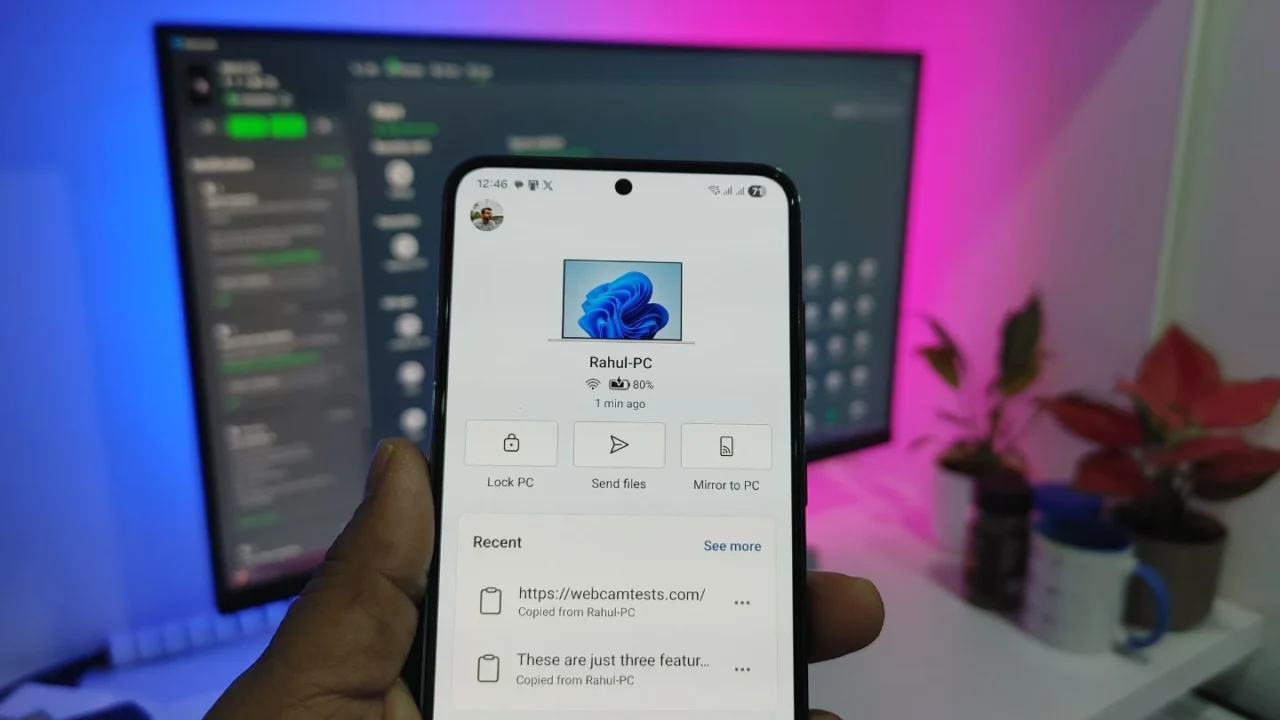
For years, Microsoft’s Phone Link app sat quietly on my Windows laptop, mostly unused. I tried it a few times in the past, but it never offered enough real-world value to be part of my routine.
However, recently, I needed an app that could sync my clipboard between my phone and my PC. At that moment, Phone Link was the very first app that came to mind. And since both Phone Link on Windows 11 and Link to Windows on Galaxy phones came preinstalled, there was no need for any additional downloads. Within a minute, the entire pairing process was completed.
At first, I only planned to use it for clipboard syncing. But after using Phone Link for over a month, I realized a few features had quietly become part of my daily workflow.
These are the three features I keep coming back to, even if not all of them are daily essentials.
1. App streaming that keeps you focused
When I first saw the option to stream phone apps on my PC, I was confused. Like, why would I use this feature when my phone is literally next to me?
After I slowly started using it in my day-to-day routine, I got my answer: focus.
When you’re working on a PC, picking up your phone almost always leads to distraction. You check one thing, then another, and suddenly five minutes turn into thirty. With Phone Link’s app streaming, I can open exactly the app I need on my PC, finish the task, and close it without breaking my workflow.
It works best for short, intentional actions. I mostly use app streaming to check my food delivery status, update apps when needed, view photos from my gallery, and access a few mobile-only apps.
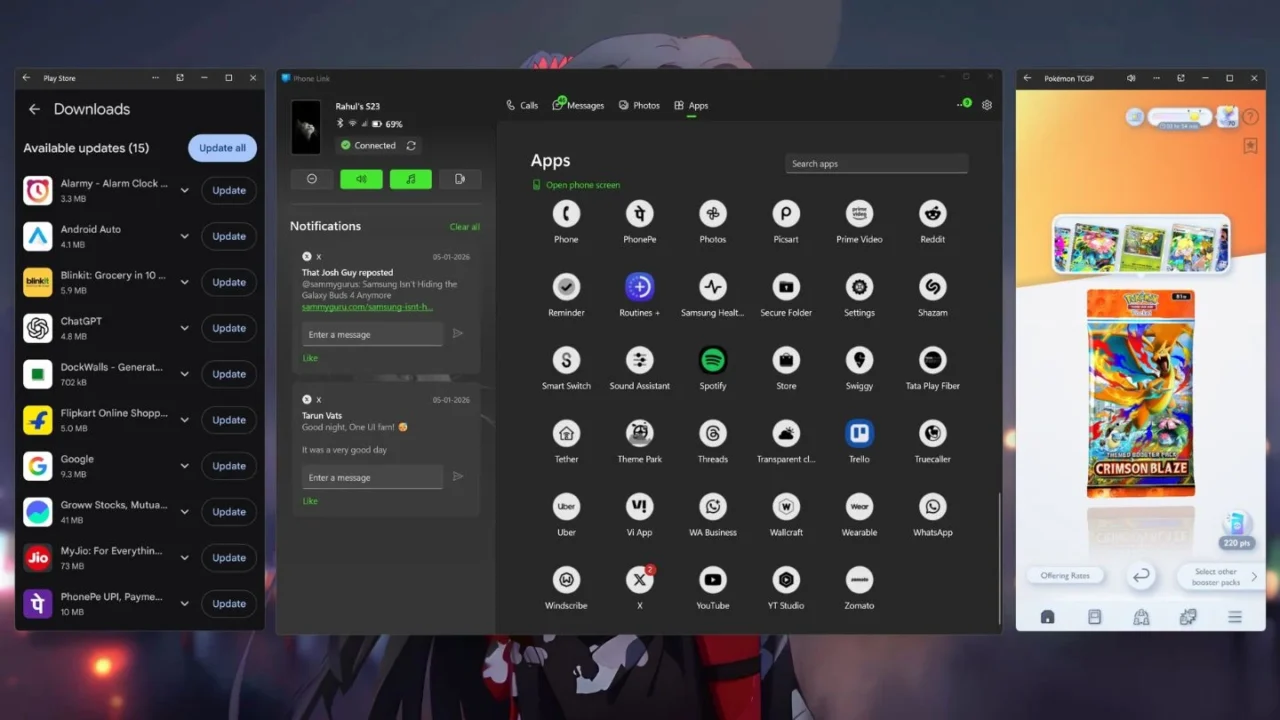
I have even started playing Pokémon TCG Pocket during short breaks on my PC instead of my phone. And since it’s a casual game, even the slight drop in FPS won’t affect the gameplay. More importantly, it helps me avoid falling into the usual cycle of games, reels, and web series.
App streaming won’t replace your phone; it reduces friction. If your day already revolves around a PC, this feature helps you stay in the zone.
2. Turning your phone into a proper webcam
Let’s be honest. Most Windows laptop webcams are awful, and my four-year-old Acer laptop is no exception. Since the Phone Link app allows you to use your Android phone as a webcam, I decided to test it with my laptop’s webcam.

I tested it on an online webcam testing site at 720p resolution, and the results were genuinely impressive. As you can see from the screenshot, my laptop’s webcam was totally overexposed under lighting conditions, and the entire picture quality looks grainy. On the other hand, my Galaxy S23’s camera looked much better and handled exposure properly.
Now it makes sense why invigilators would sometimes ask me to move closer to the camera or reposition my laptop during online exams.
That said, I’ll mostly use this feature to record videos for my lab viva exams, which we usually have to record using our laptop’s webcam. If you’re a working professional, though, this can be useful for Teams or Zoom meetings. And if you use an external monitor like I do, you already know how convenient this can be.
3. Clipboard sync that quietly saves time every day
Clipboard syncing is the reason I started using Phone Link again. To add some context, my mornings usually involve logging into multiple websites, many of which require authentication codes sent to my phone.
I was tired of constantly looking back and forth between my phone and laptop just to type in verification codes. Now, with Phone Link, I just copy the code on my phone and paste it directly on my PC. No typing. No switching devices.
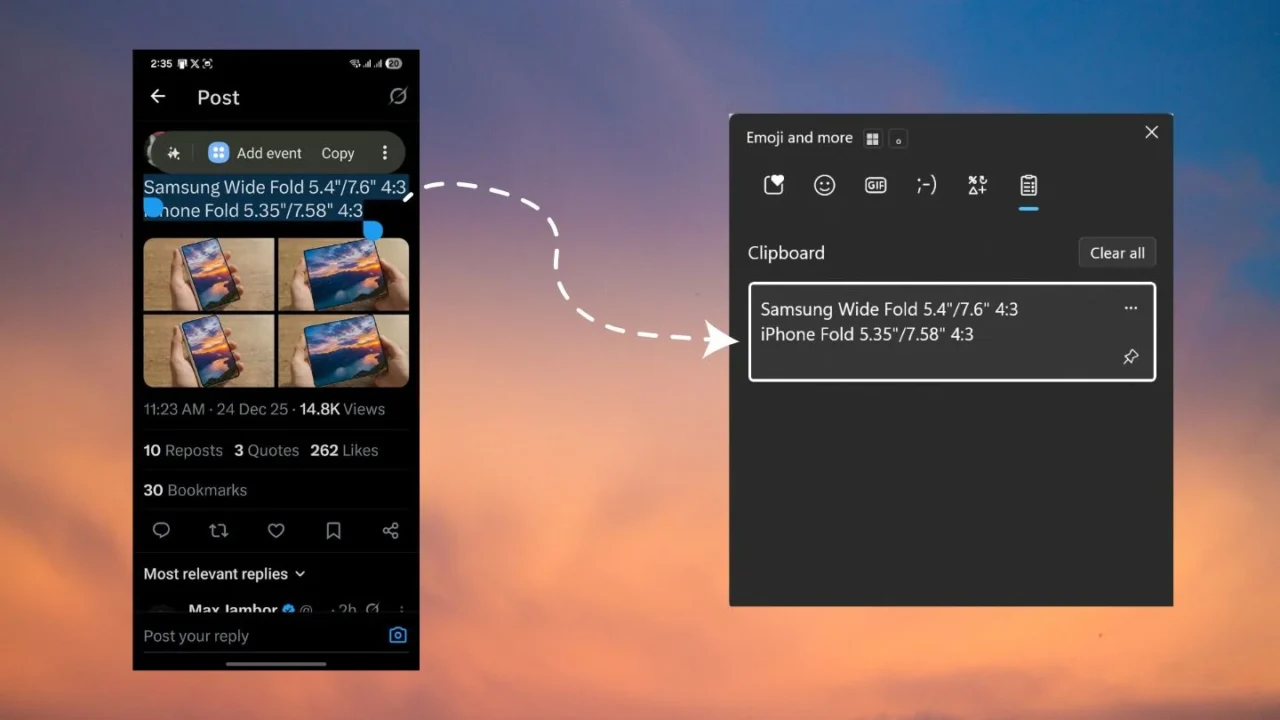
I also do a fair amount of topic research on my phone. When I find something useful, I just copy it, and later it’s already waiting in my PC’s clipboard history. You might think this is a niche use case, but once you start using it, going back feels unnecessarily slow.
Phone Link has more to offer
These are just three features I personally use Phone Link for, but the app has much more to offer. You can manage calls, check messages, access your phone’s gallery, use Instant Hotspot, find your phone, view your phone’s notifications, and more.
Since I don’t use most of these features regularly, I can’t fully vouch for them. That said, just because they aren’t useful for me doesn’t mean they won’t be useful for you. It’s worth exploring all the features and figuring out which ones actually improve your daily workflow.