

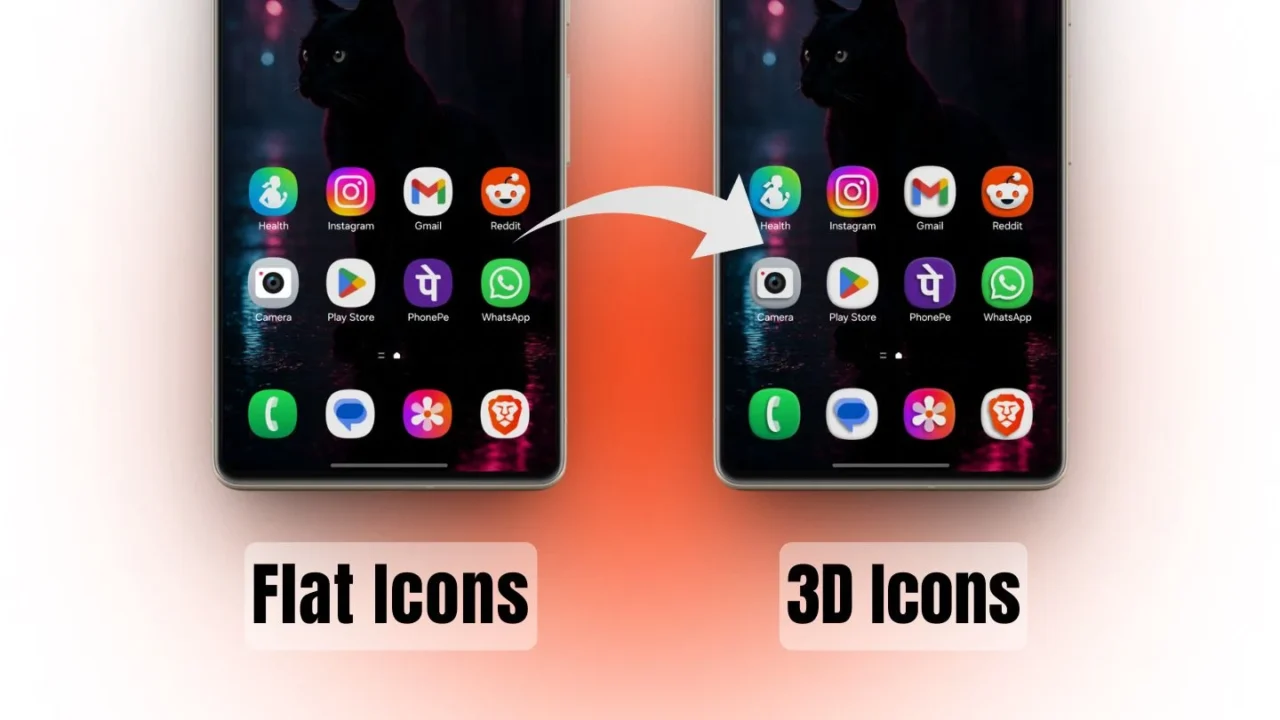
Over the past few months, multiple leaks hinted that Samsung was internally testing 3D-style app icons for the One UI 8.5 update. Now, Samsung has quietly made that feature available through an updated version of the Theme Park app, allowing users to try the 3D depth effect on their Galaxy phones right away, even on the current One UI version.
With this update, Theme Park introduces a new Emboss effect for app icons. Users can adjust the strength, edges, angle, and shadow, giving icons a more layered and dimensional look compared to the usual flat design.
How to apply the 3D icon effect on your Galaxy phone
Before getting started, make sure you update the Theme Park app to the latest version from the Galaxy Store. Once updated, follow these steps:
- Open the Theme Park app and head to the Icon section.
- Tap Create New, then go to Effects and select the Emboss effect.
- Use the sliders to adjust the intensity and overall appearance of the 3D icons.
- Once satisfied, tap the Download icon in the top-right corner.
- Name your icon pack and tap OK.
- Return to the Icon section, select your newly created icon pack, and tap Apply.
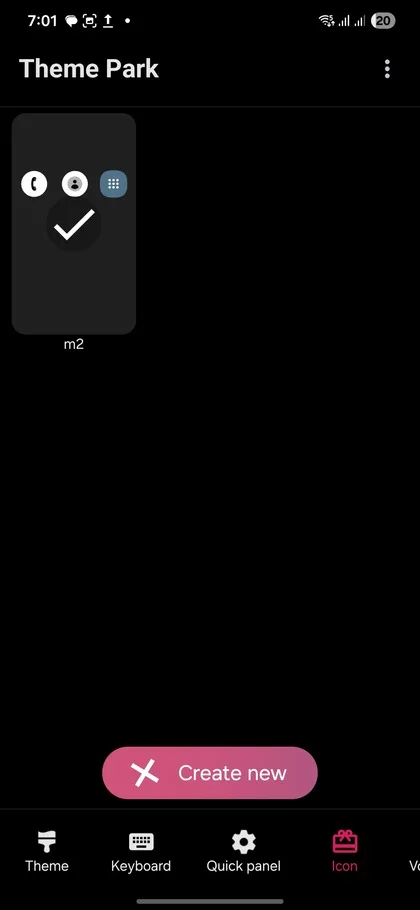
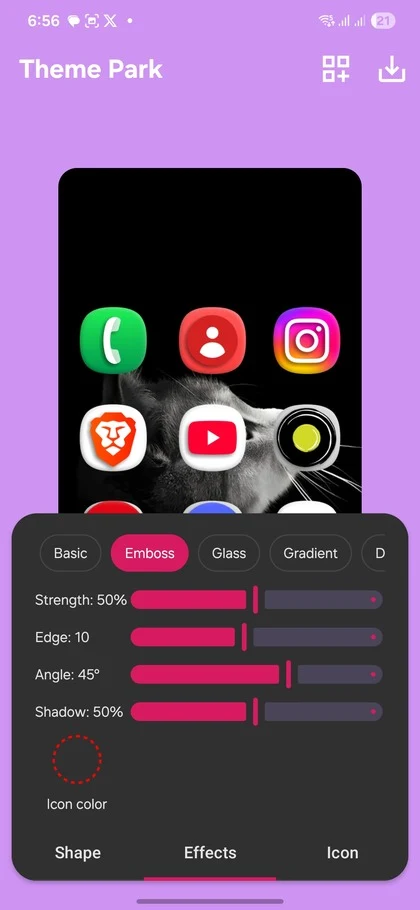
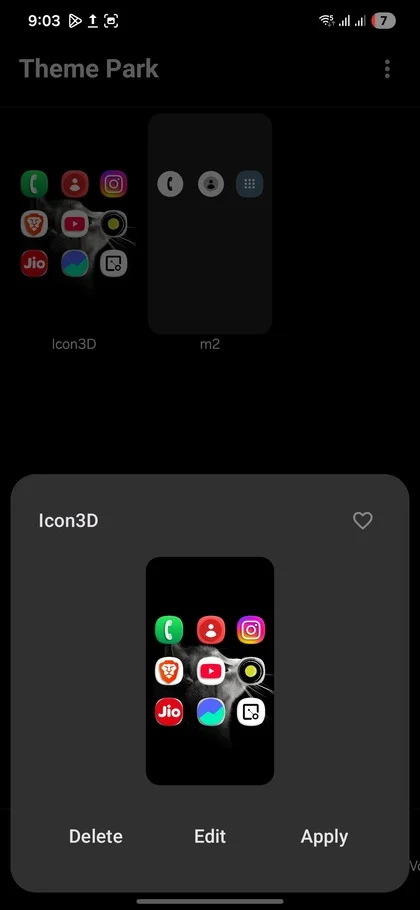
That’s it. Your app icons will instantly switch from a flat design to a more dimensional 3D style on your Galaxy phone.
With Theme Park version 1.1.01.38, Samsung has also rolled out several additional improvements, including:
- Theme bookmarking using a heart icon, along with home screen shortcuts for saved themes
- A redesigned icon editor with separate Shape, Effects, and Image tabs
- New emboss and monochrome options for app icons
- Improved Quick Panel icon previews
- Home screen badge color controls (One UI 8.5)
We tested the new monochrome icon option as well, and the results were mixed. Some app icons look clean and well-executed, while others remain mostly unchanged, which slightly breaks the consistency.
That said, even with these limitations, the level of customization Samsung is offering this time is commendable. Galaxy fans should definitely try out these new tools to give their home screens a fresh and modern look.