

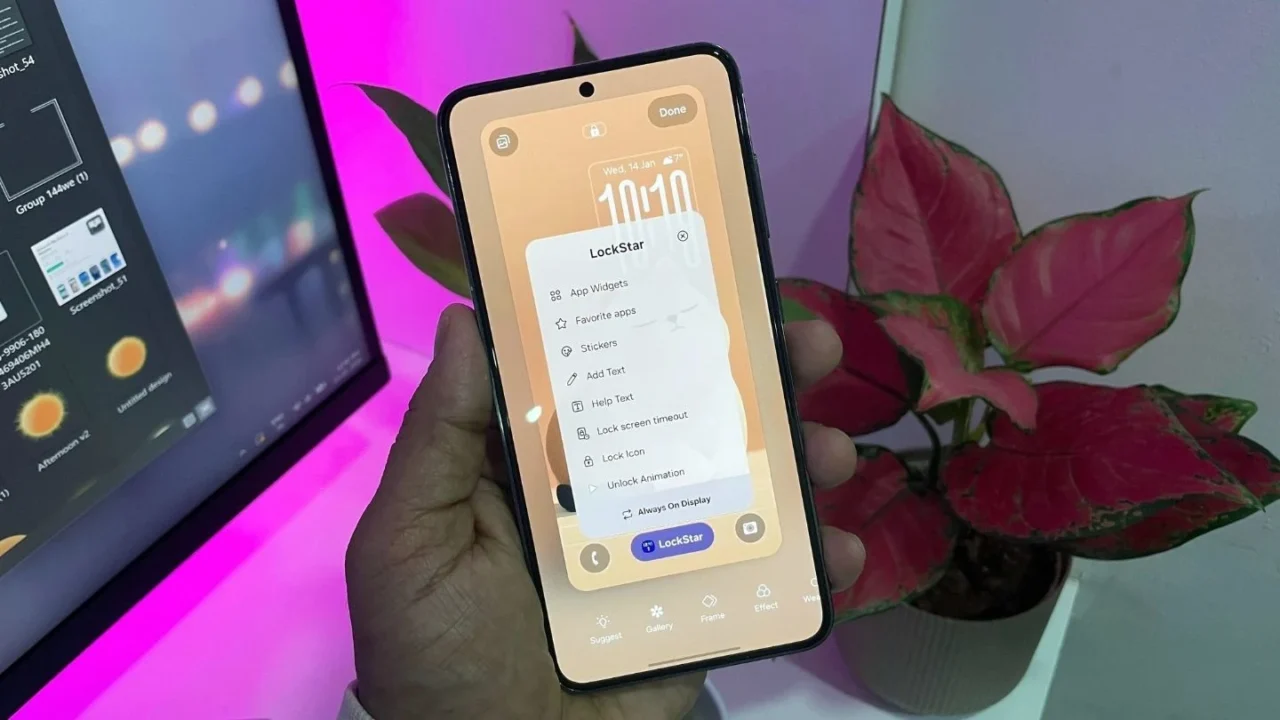
Samsung has updated the LockStar module in Good Lock, and this time, the changes are not easy to ignore. The new version introduces unlock animations and deeper lock screen controls that go far beyond cosmetic tweaks, especially on devices running One UI 8.5.
Right now, the update appears to be tied to One UI 8.5 beta. If you are on One UI 8.0, only the ‘Text’ feature seems to be available. Here’s a closer look at what LockStar version 8.5.00.8 brings to the table.
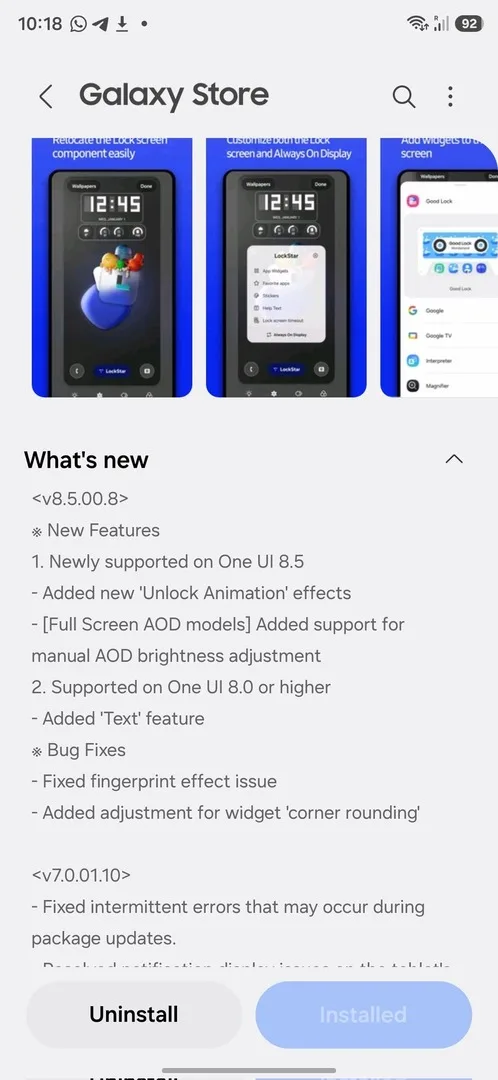
Unlock animations that feel almost excessive (in a good way)
LockStar now lets you choose from a long list of unlock animations like Slide, Expand, Spread, Wave, Ripple, Mosaic, Fade, Wiper, Paint, and even Glitch. Each animation is not just a toggle. You can tweak how it behaves.
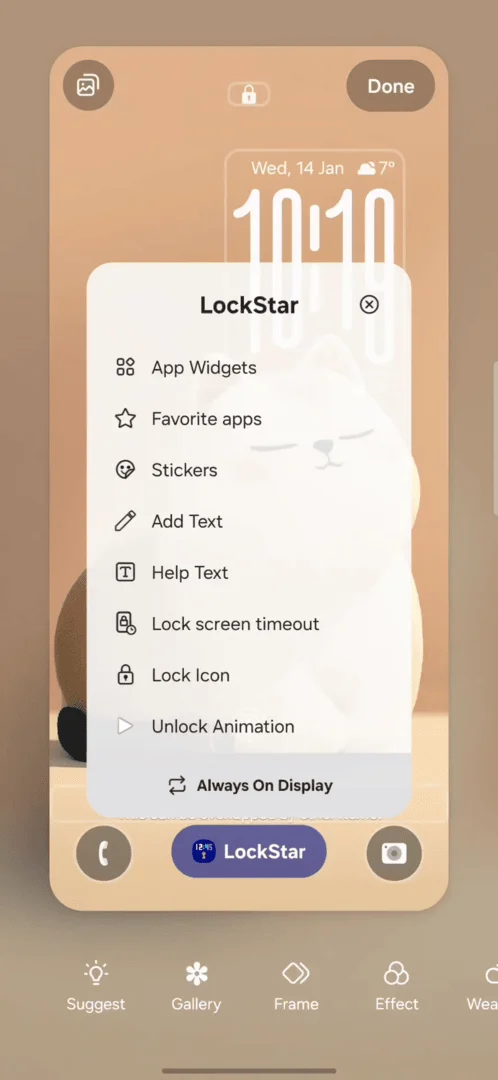
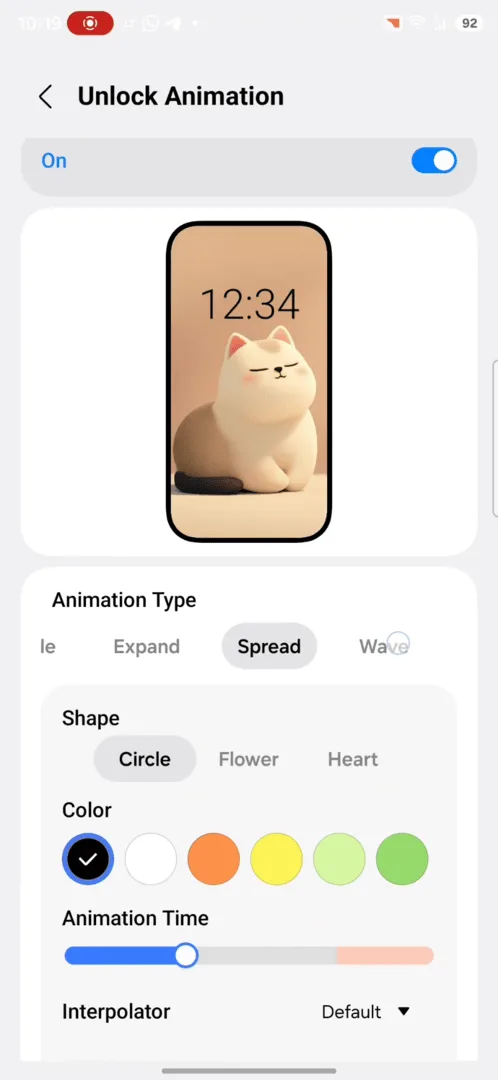
For example, Slide lets you decide the direction and animation speed. You can slow it down to the point where unlocking your phone feels dramatic, or keep it snappy like before. There are also interpolator options like ease in, ease out, linear, bounce, and even custom curves.
This level of lock screen customization is something you don’t see on many Android phones, let alone iPhones.
Always On Display finally gets manual brightness control
This setting will matter a lot to AOD users. There’s now an option to turn off auto brightness for Always On Display and manually set how bright it should be using a slider. If you prefer control over automation, this is a welcome change.
Personally, I prefer keeping the AOD in auto mode, but for those people who find auto settings either too dim outdoors or too bright in dark environments, the manual AOD brightness control makes a genuine difference.
You can now add custom text to your lock screen and AOD
LockStar already had a basic help text option, but this update adds a proper “Add text” feature.
You can add your own text to the lock screen and adjust things like size, alignment, and color. There are also a few font styles to choose from, and the same option is available on Always On Display.
Should you care about this update?
If you enjoy customizing your Galaxy phone beyond wallpapers and icon packs, absolutely yes.
These unlock animations alone make your phone feel fresh again, and they show why Good Lock continues to be Samsung’s secret weapon. Even if you never touch half the options, just knowing they exist is part of the fun.
If you are on One UI 8.5 beta, this update is worth trying right now. If you are on One UI 8.0, you may only get the new text feature for now, but the rest should arrive once 8.5 rolls out publicly.