

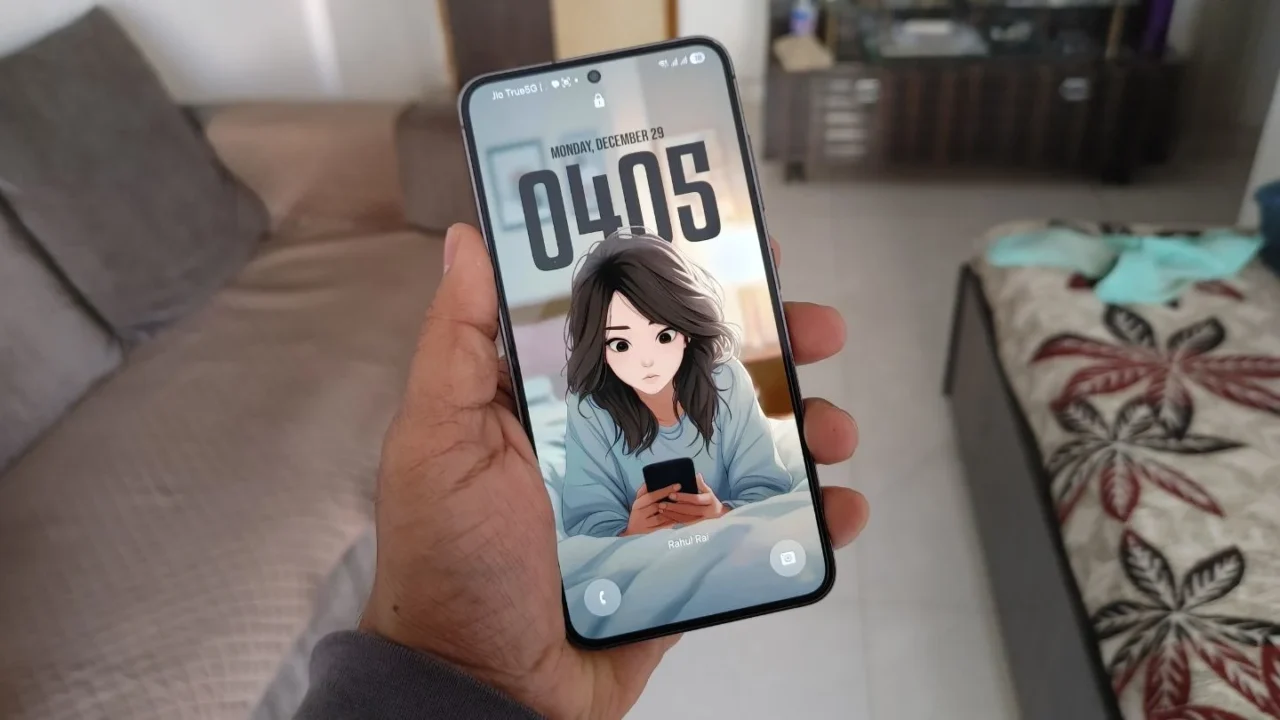
When I first switched to the adaptive clock style on my lock screen, I was genuinely amazed by how cool and aesthetic it looked on my Galaxy phone. The subtle stretch animation as the clock transitions from AOD to the lock screen felt like the perfect finishing touch.
Just when I thought One UI 8.5 had further refined the adaptive clock experience, I saw my close friend’s iPhone lock screen. I honestly couldn’t believe how lively it felt compared to mine. The spatial effect on the iOS lock screen adds a subtle 3D-like presence, while the stretchable clock adapts around the subject. It gives your eyes a real sense of space and motion, instead of feeling like a simple wallpaper with numbers placed on top.

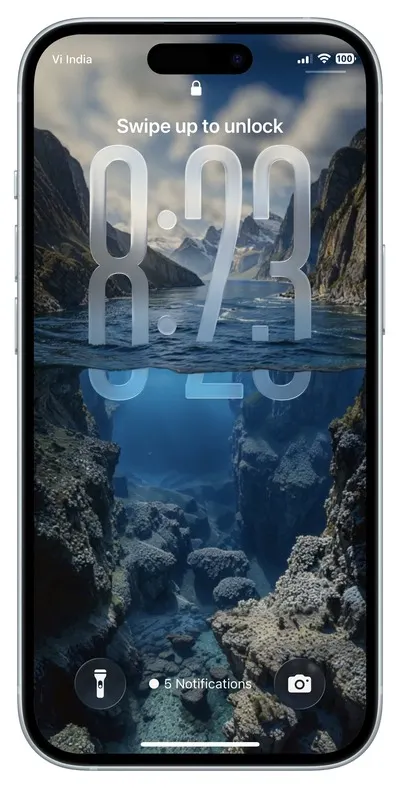
After seeing what the iOS 26 lock screen is capable of, I started looking for ways to recreate a similar sense of depth and fluidity on my Galaxy phone, even if it meant settling for something close rather than identical.
Guess what?
After hours of searching, I finally found an app that brings an iOS 26-style, look-alike depth effect to Galaxy phones. The app is called Depth Wallpapers & Live Clock, and it is available for free on the Play Store. It offers a large collection of 3D depth effect wallpapers that you can apply not only to the lock screen, but to the home screen as well.
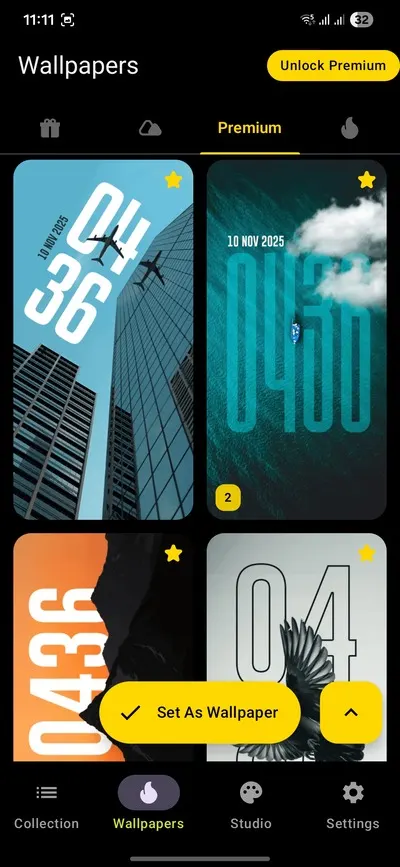
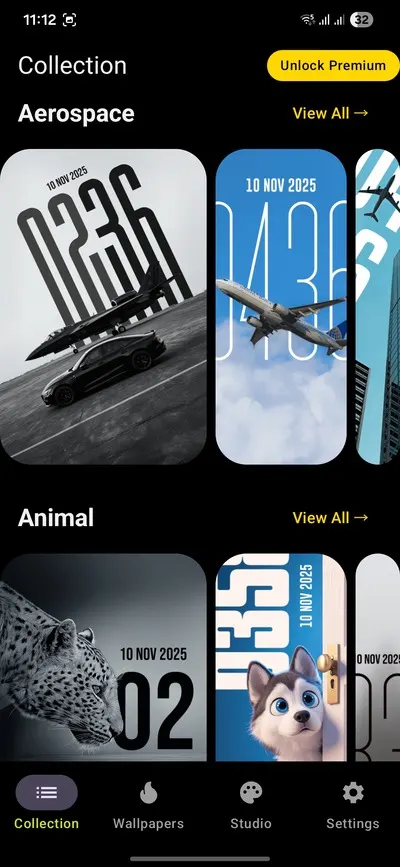
The wallpapers are so varied that I genuinely had a hard time picking just one for my lock screen. There is something for everyone here, and if you ever get bored with one wallpaper, you can easily switch to a new one every once in a while.
Now that you know the name of the app, don’t rush to download it just yet. There is one issue, and it’s a big one. Once you set one of these wallpapers as your lock screen wallpaper, it overlaps with the system clock. To make matters worse, Samsung has removed the “No clock” option in One UI 8.

The only workaround right now is to make the existing clock fully transparent using the lock screen settings. Here’s how you can do it:
- Long-press on the lock screen and select the clock style option to open the Clock Face editor.
- Tap on the Color Picker, choose the black color, and use the transparency slider to set it to 0%.
- Finally, tap Done to save the changes.
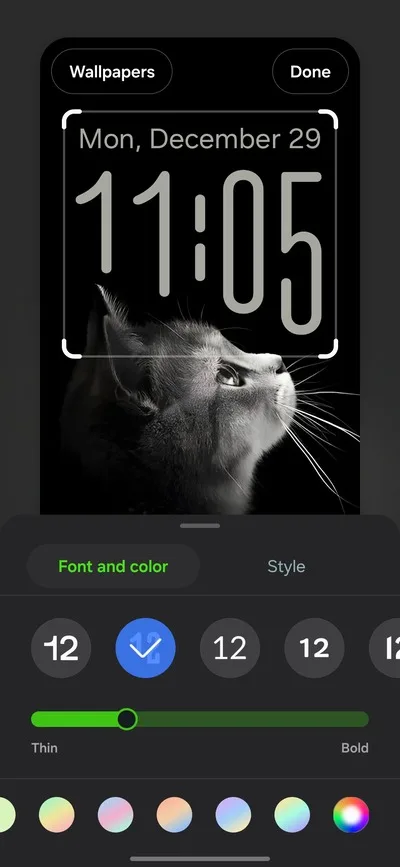
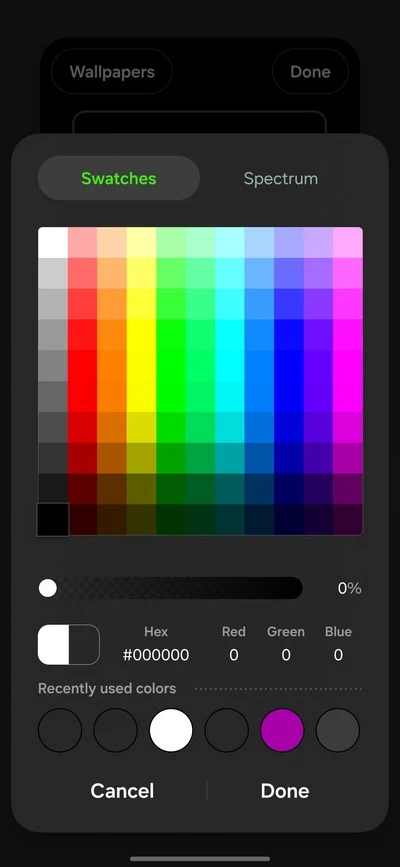

Note 1: If you use any color other than black to make the clock transparent, the system clock may still appear on the lock screen like a faint watermark.
Note 2: If you reduce the system clock size, your AOD clock size will also be affected.
As you can see, there’s no system clock visible anymore, and the depth wallpaper remains the main focus on the lock screen. If you ever feel like adjusting the clock size or repositioning it, you can do that from the Studio section within the app.
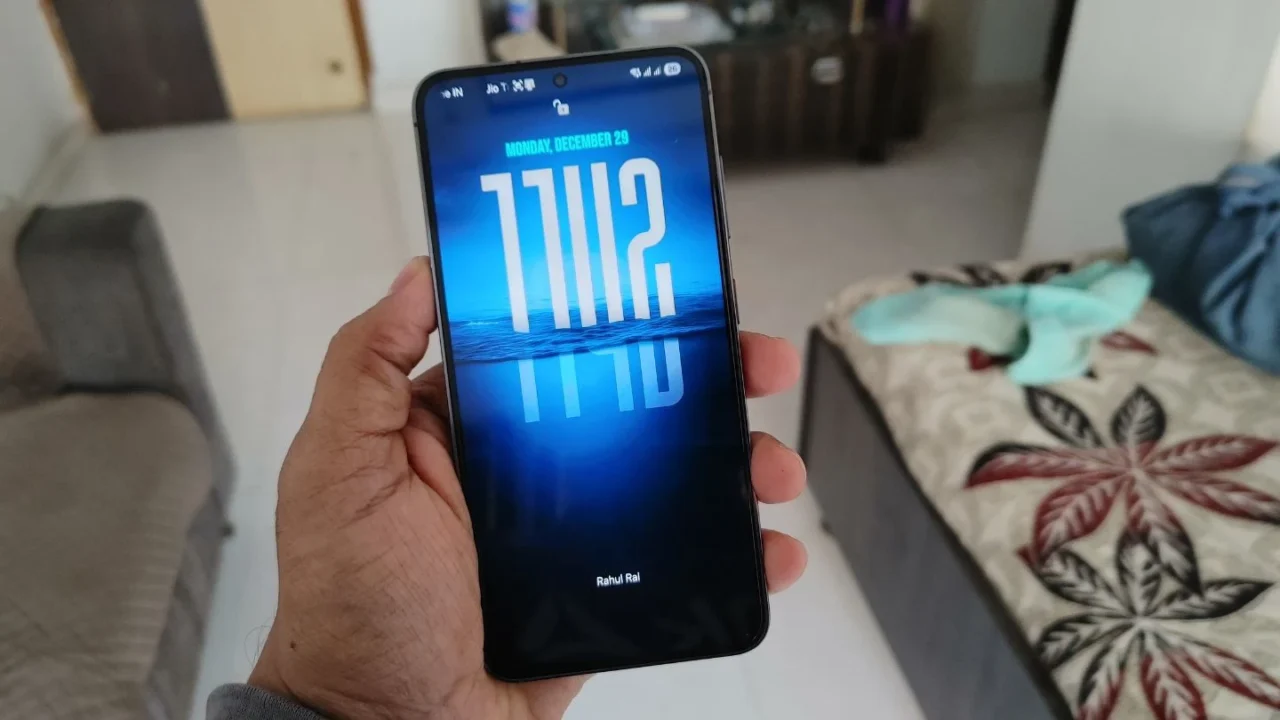
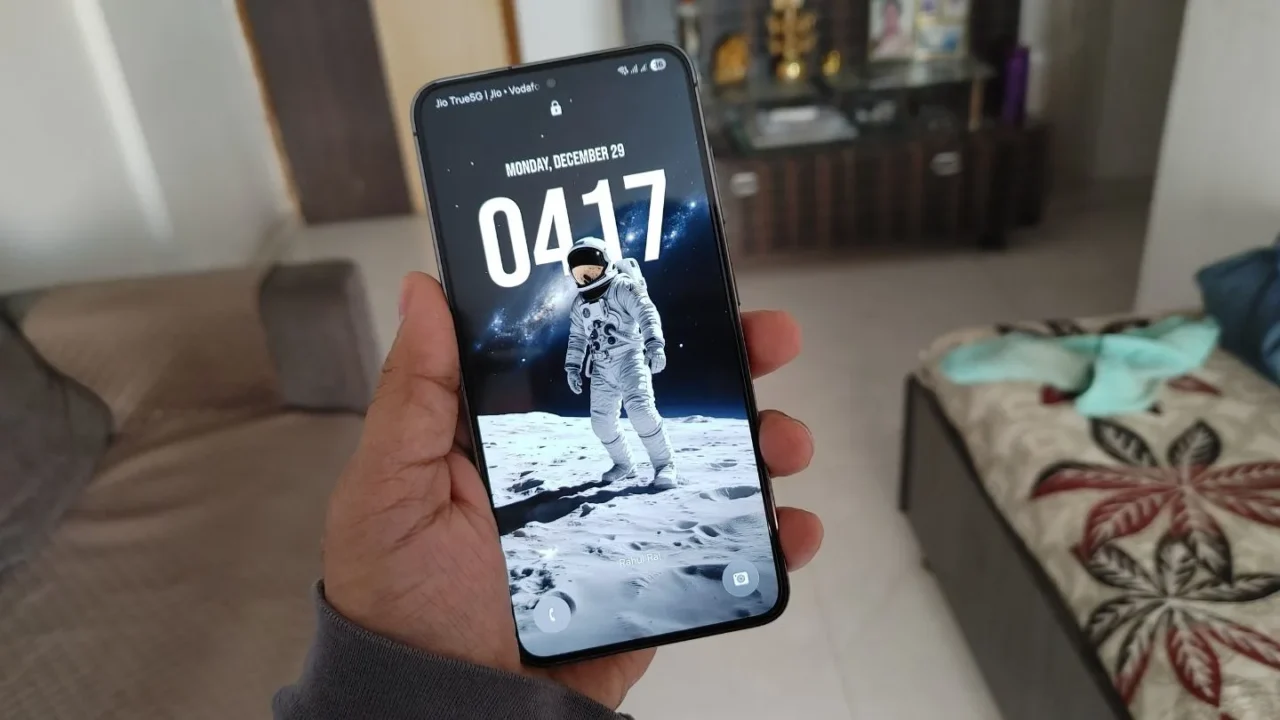
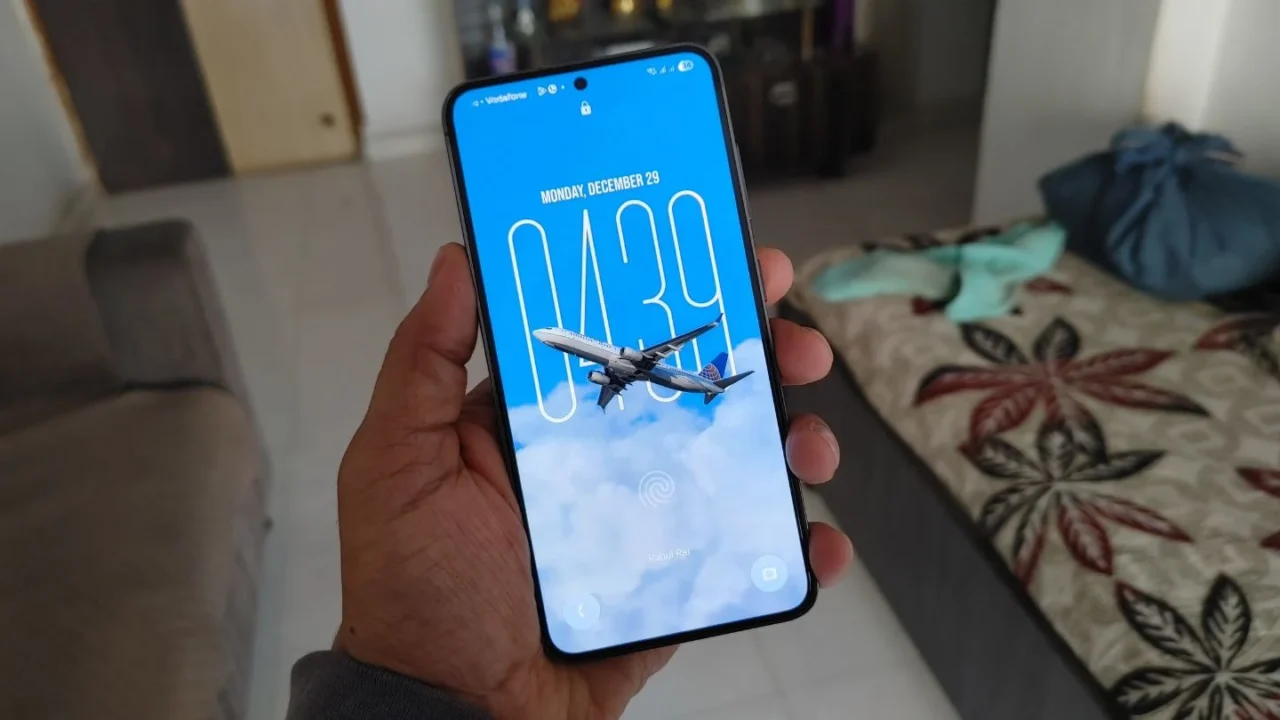
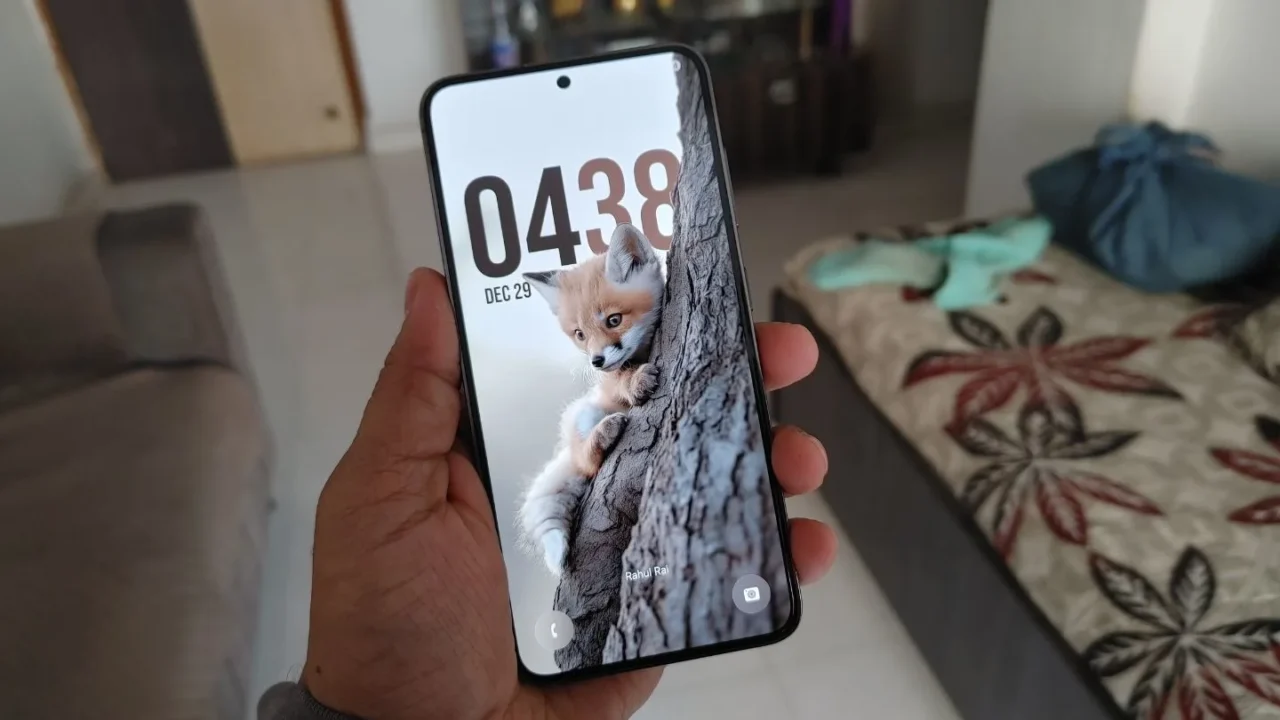
While many wallpapers and features in the Depth Wallpapers & Live Clock app are locked behind a paywall, the free version alone should be more than enough for most users.
I hope you found this workaround helpful. Yes, it still lacks the true spatial depth effect, and the customization level is still limited compared to the iOS 26 lock screen. But for the most part, it does the job wonderfully.
The One UI 8.5 beta is already here, so it’s unlikely that Samsung will add an iOS-style 3D depth effect at this stage. Still, Samsung has surprised us before, so maybe this is something we could see in a future One UI 9 update.
By the way, one of the well-known Samsung tipsters has already posted a suggestion on the Samsung forum to add a depth effect to the lock screen in a future One UI update. If you wish to support this development, you can visit the link and upvote the suggestion to help it gain traction.