

Gadget LivGadget Liv
  • Galaxy Phones
  • Galaxy Watch
  • Samsung TV
  • One UI
Gadget LivGadget Liv
Search
  • Galaxy Phones
  • Galaxy Watch
  • Samsung TV
  • One UI
Follow US
  • Sitemap
  • About
  • Contact
  • Privacy Policy
  • Editorial Policy
One UIApps

Samsung is taking lock screen animations to another level with this new update

Rahul Rai
Last updated: January 15, 2026
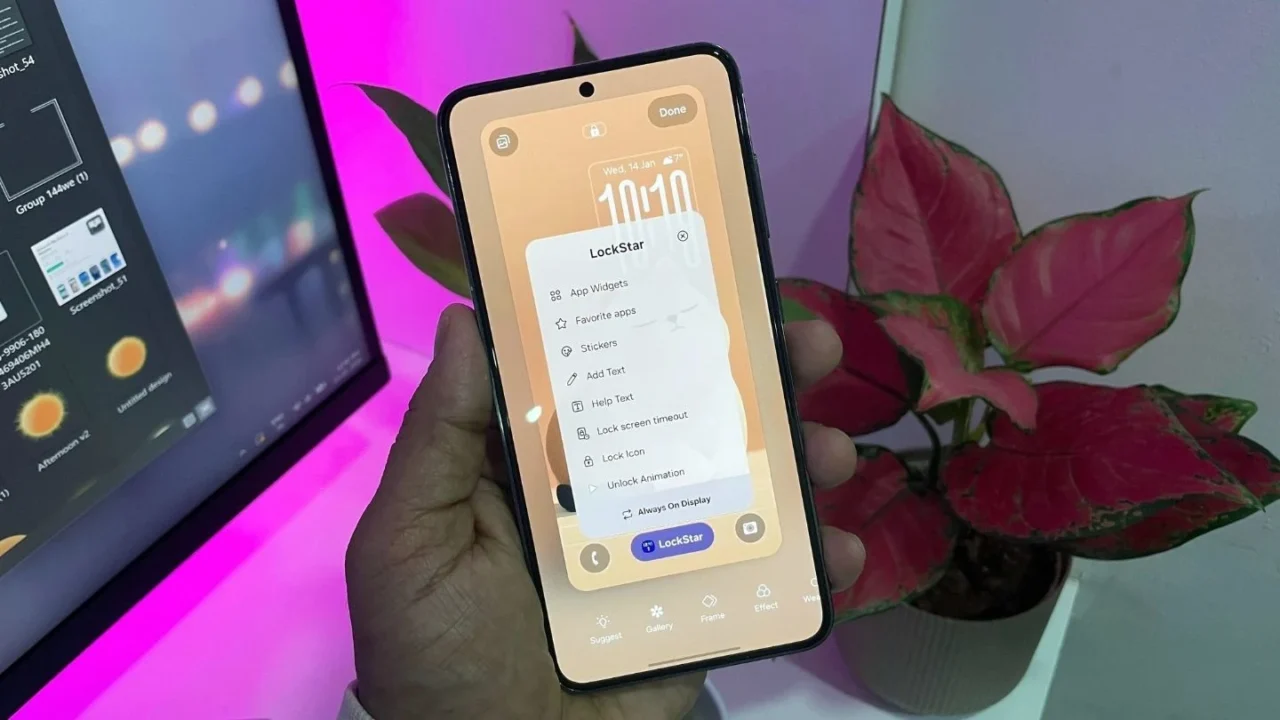
LockStar new unlock animation and lock screen customization in One UI 8.5
Screenshot by ya_sking12767 and edited by Rahul Rai

Samsung has updated the LockStar module in Good Lock, and this time, the changes are not easy to ignore. The new version introduces unlock animations and deeper lock screen controls that go far beyond cosmetic tweaks, especially on devices running One UI 8.5.

Right now, the update appears to be tied to One UI 8.5 beta. If you are on One UI 8.0, only the ‘Text’ feature seems to be available. Here’s a closer look at what LockStar version 8.5.00.8 brings to the table.
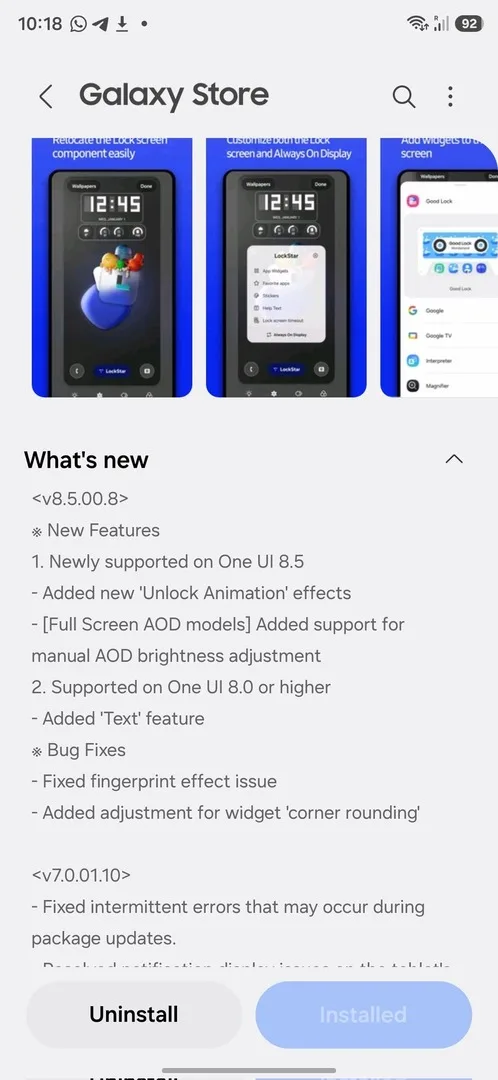
LockStar version 8.5.00.8

Unlock animations that feel almost excessive (in a good way)

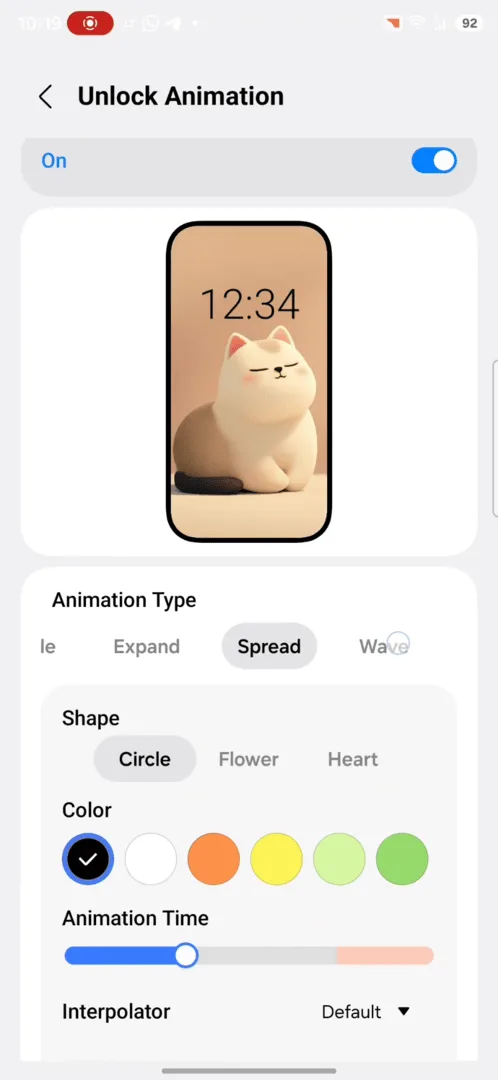
LockStar now lets you choose from a long list of unlock animations like Slide, Expand, Spread, Wave, Ripple, Mosaic, Fade, Wiper, Paint, and even Glitch. Each animation is not just a toggle. You can tweak how it behaves.
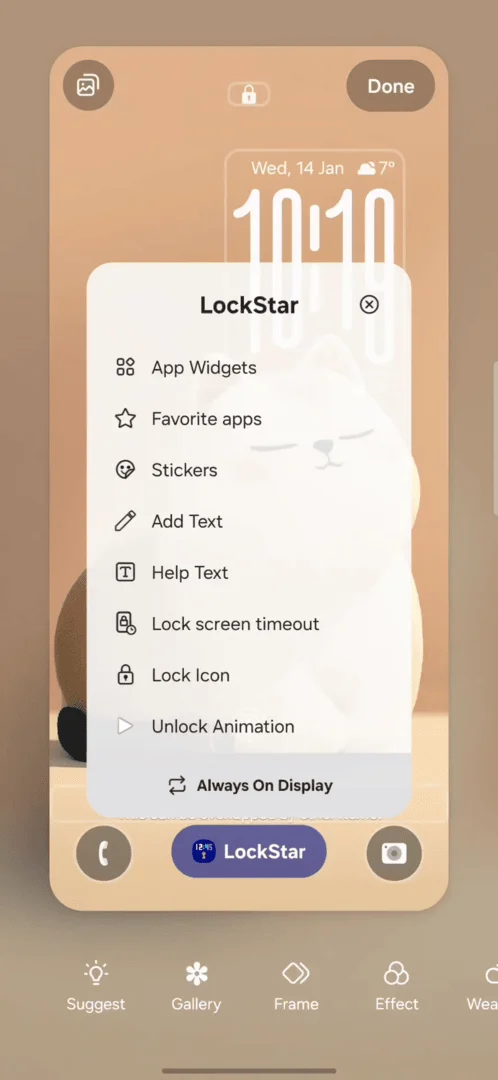
LockStar New Features
Unlock Animation on LockStar
Image Credit: ya_sking12767

For example, Slide lets you decide the direction and animation speed. You can slow it down to the point where unlocking your phone feels dramatic, or keep it snappy like before. There are also interpolator options like ease in, ease out, linear, bounce, and even custom curves.

This level of lock screen customization is something you don’t see on many Android phones, let alone iPhones.

B R E A K I N G!
One UI 8.5 just got a brand new feature! You can now choose from hundreds of different unlock animations. Just download the latest version of LockStar (8.5.00.8) to start customizing your own effects. Check out the ones I set up—don't they look cool?
Click here… pic.twitter.com/GRiVZeuPDh

— Ice Universe (@UniverseIce) January 14, 2026

Always On Display finally gets manual brightness control

This setting will matter a lot to AOD users. There’s now an option to turn off auto brightness for Always On Display and manually set how bright it should be using a slider. If you prefer control over automation, this is a welcome change.

Personally, I prefer keeping the AOD in auto mode, but for those people who find auto settings either too dim outdoors or too bright in dark environments, the manual AOD brightness control makes a genuine difference.

You can now add custom text to your lock screen and AOD

LockStar already had a basic help text option, but this update adds a proper “Add text” feature.

You can add your own text to the lock screen and adjust things like size, alignment, and color. There are also a few font styles to choose from, and the same option is available on Always On Display.

Should you care about this update?

If you enjoy customizing your Galaxy phone beyond wallpapers and icon packs, absolutely yes.

These unlock animations alone make your phone feel fresh again, and they show why Good Lock continues to be Samsung’s secret weapon. Even if you never touch half the options, just knowing they exist is part of the fun.

If you are on One UI 8.5 beta, this update is worth trying right now. If you are on One UI 8.0, you may only get the new text feature for now, but the rest should arrive once 8.5 rolls out publicly.

Google Preferred Source Badge
TAGGED:Galaxy PhoneGood LockLockStarOne UI 8.5
Share This Article
Facebook Whatsapp Whatsapp Reddit Telegram
ByRahul Rai
Follow:
Rahul Rai is a tech writer with over 5 years of experience covering smartphones, software, and consumer electronics. After starting Gadget Liv in 2019, he went on to write evergreen content at TechWiser before returning to relaunch Gadget Liv in 2025 with a fresh focus on Samsung news and One UI coverage. Rahul is currently pursuing a BCA degree from Manipal University, strengthening his foundation in computer science. His writing is all about clarity, accuracy, and helping Galaxy users stay informed without the fluff. Currently, he owns: Galaxy S23, Galaxy Watch 4, and Samsung TV.
Leave a Comment Leave a Comment

Leave a Reply Cancel reply

Your email address will not be published. Required fields are marked *


New Stories

I tried the viral Fluffy icon setup on my Galaxy phone, and I’m not going back
I tried Samsung Internet on Windows for a month. It’s good, but not perfect
After a month of using Phone Link with a Galaxy phone, these 3 features stood out to me
One UI 8 just gave my Galaxy Watch 4 a second life: My experience so far
Upcoming Galaxy S26 Ultra display could make privacy screen protectors obsolete
One UI 8 Watch update is creating a headache for many Galaxy Watch users
Why the Now Bar is weirdly placed on some Galaxy phones and how to fix it
Follow US
Gadget Liv (2019 - 2026)
  • Sitemap
  • About
  • Contact
  • Privacy Policy
  • Editorial Policy
Welcome Back!

Sign in to your account

Username or Email Address
Password


Lost your password?