

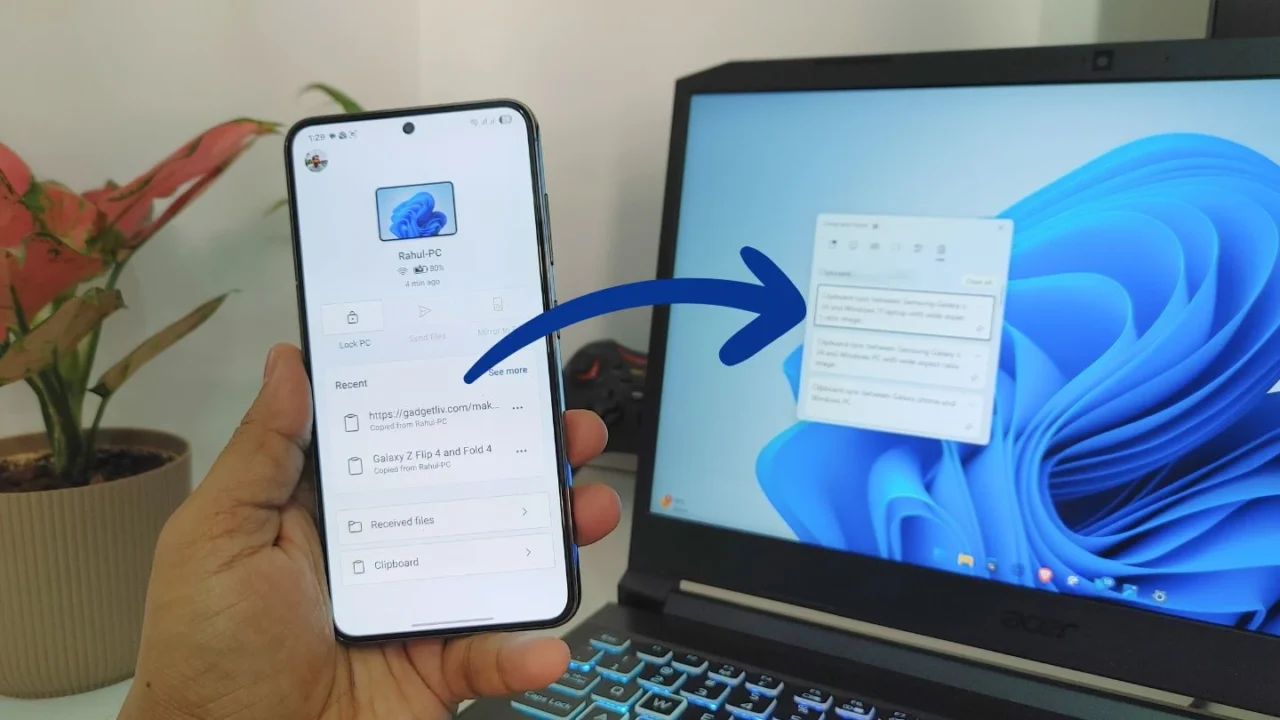
Man, I always used to feel jealous of iPhone users for having Apple’s Universal Clipboard feature, which lets them seamlessly copy text between an iPhone and a Mac without installing any extra apps. For years, I knew a similar experience was possible between Samsung or Android phones and Windows PCs using the Phone Link app, but I never really gave it a shot for a number of reasons.
First, I didn’t want to install and use a separate app on both my phone and computer just for cross-device clipboard syncing. Second, I honestly didn’t think the feature would be that useful for my daily routine.
So what changed?
Over the past couple of weeks, I started noticing a pattern. Every time I had to sign in to a website that required an authentication code, receive an OTP for a bank payment, or even share a link with my laptop, I had to pick up my phone, read the code, and manually type it on my Windows laptop.
Sometimes, I would paste the link into Google Keep just to access it later on my PC. Individually, these steps didn’t take much time, but in day-to-day use, the repetition became annoying and surprisingly time-consuming.
Eventually, I decided to pair my Samsung Galaxy phone with my Windows laptop using the Phone Link app. And here’s the best part: the app already comes preinstalled on Windows, and Samsung phones include it as the Link to Windows app, so there’s no need to download anything separately.
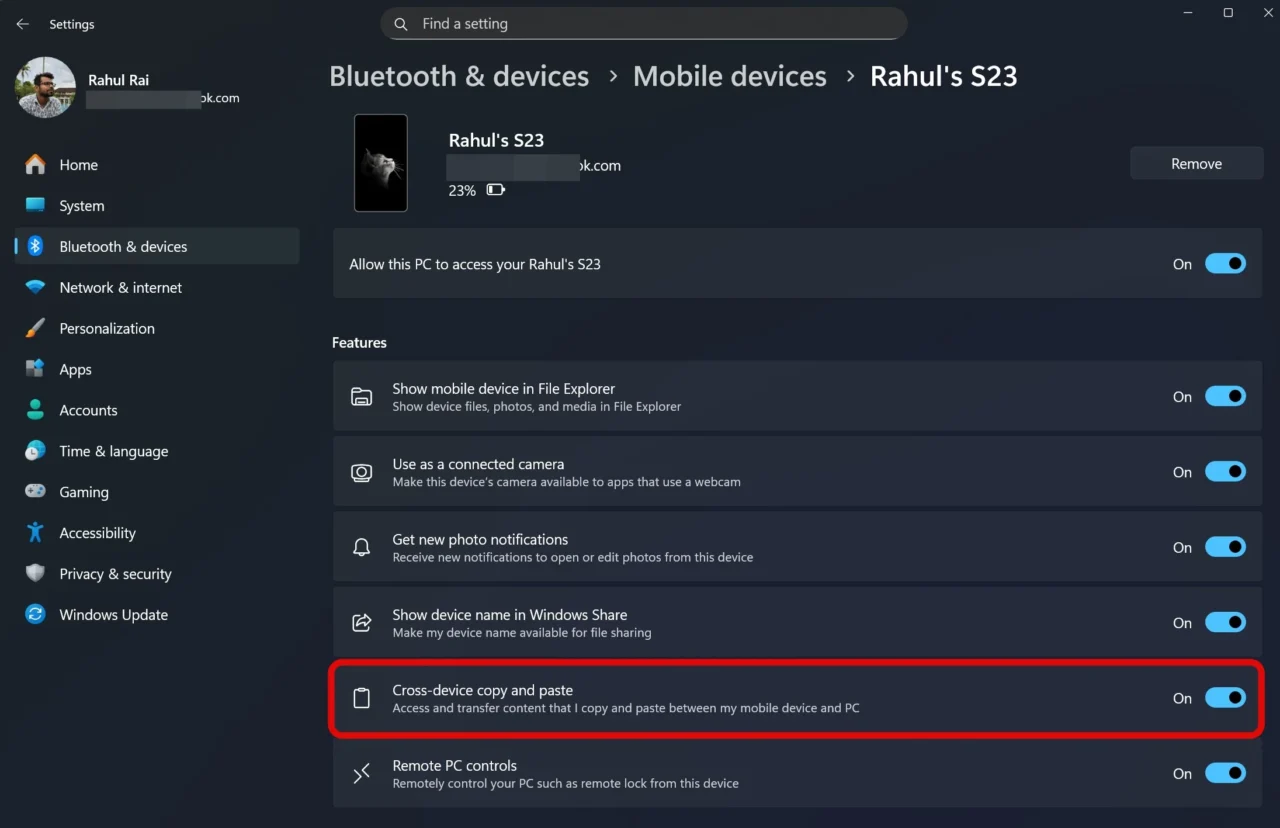
Once the pairing process was complete, I enabled the “Cross-device copy and paste” feature in Windows 11. From that moment on, anything I copied on my phone could instantly be pasted on my laptop and vice versa, making the whole experience feel far more seamless than I expected.
How are things going now?
Now, whenever a website asks for an authentication code, I no longer need to switch between screens or manually type anything. I simply copy the code from my phone and paste it directly on my laptop.
Another time clipboard sync proved incredibly useful was during a work break. While scrolling through Samsung-related posts on X, formerly Twitter, I came across some useful information that I wanted to include in my article. I simply copied multiple snippets on my phone, and when I got back to work, everything was already synced and waiting in my Windows clipboard.
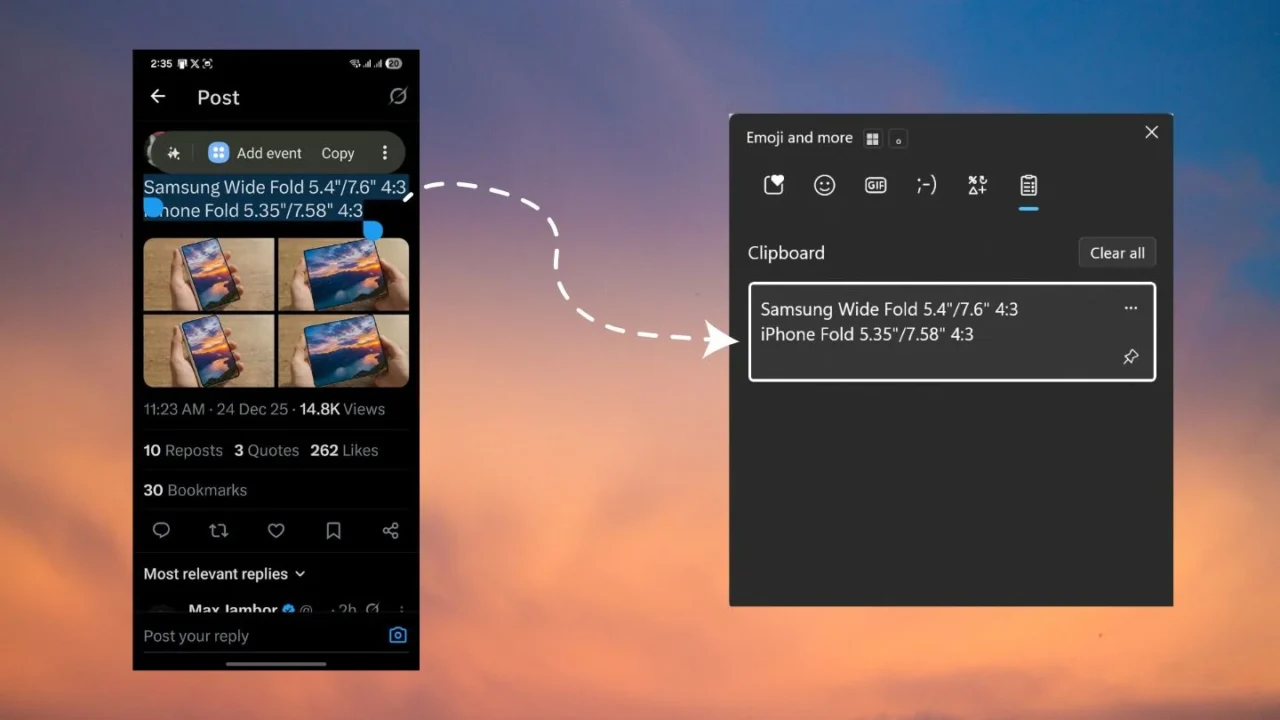
And that’s the best part about this cross-device connectivity. Your clipboard history stays accessible across paired devices, whenever you need it, without any extra effort.
For me, pairing my Galaxy phone with Windows has turned out to be a surprisingly essential part of my daily workflow. While I’m at it, I also plan to explore more features within the Phone Link app to see how much more it can streamline my day.
These were my everyday use cases. You might have different ones, but the real value lies in how it removes friction. No retyping, no sending messages to yourself on WhatsApp, and no emails just to move text around. Once you get used to it, it becomes one of those features that quietly blends into your routine but feels impossible to live without once it’s gone.